One-click auto-redaction
Snipaya finds and covers sensitive details in a single click:
- Email addresses and phone numbers
- IBANs and card numbers
- API tokens and passwords
- IP addresses
- Faces
 Screenshot annotator for macOS
Snipaya captures your screen, gives you arrows, numbered steps, callouts and blur in one keystroke, scrubs out emails and API keys before you share, and drops the result wherever your team works.
One-time purchase. For Apple Silicon and Intel Macs.
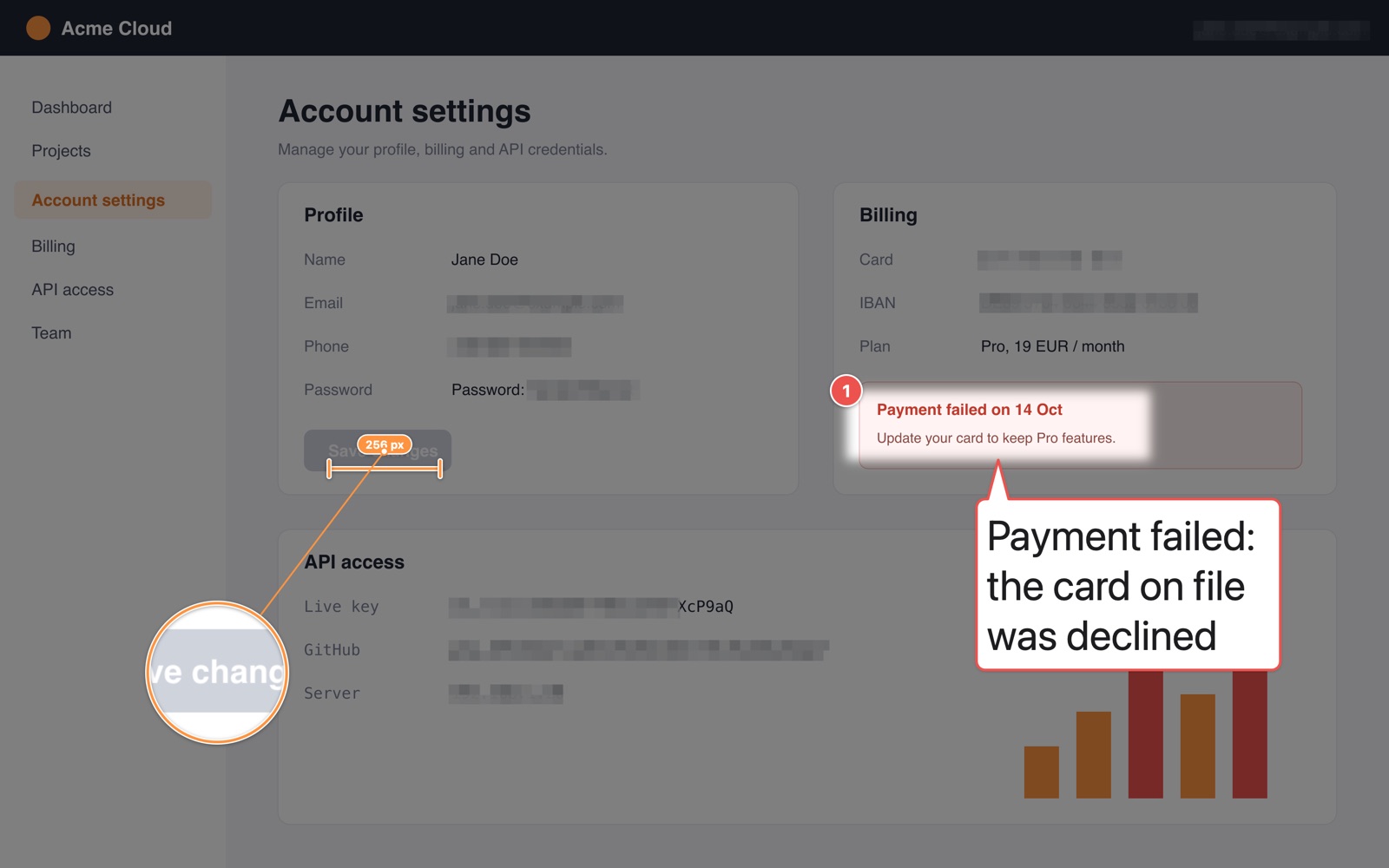
Global shortcuts that stay out of the way of the built-in macOS ones. Press, select, and you are already in the editor.
Point, explain, hide and measure. All of it editable until you export.
Text recognition and redaction happen on your Mac using macOS Vision. Nothing is sent anywhere to find what to hide.
Snipaya finds and covers sensitive details in a single click:
On-device OCR turns the pixels in a screenshot into text you can copy, so error messages and IDs never need retyping.
Add gradient backgrounds, padding, rounded corners and a soft shadow so your screenshot looks finished in docs, tickets and posts.
Drag the finished image straight out of Snipaya into any app, or send it through Export To.
Get a link in one step.
IT teams can ship a policy file that locks or hides export destinations, so screenshots only go where your company allows.
Snipaya can expose an MCP server so assistants such as Claude can open screenshots, add annotations and export them for you.
You switch it on in settings when you want it.
The server only listens on your Mac and every request must carry your access token.
You: Number the three settings I need to change
     in this screenshot and blur my email.
Keep several screenshots open at once. Quit and come back to exactly where you left off.
Save your work with every annotation still editable and reopen it later.
English, Polski, Deutsch and Español.
New versions install themselves, so fixes reach you without a trip to the website.
No subscription, no tiers, no account. Try it first, buy it when it earns its place in your dock.
$19 one-time Placeholder price
Taxes may apply at checkout. Lemon Squeezy is the merchant of record. See the refund policy.
A Mac running macOS 12 Monterey or later. Snipaya runs natively on both Apple Silicon and Intel Macs. Windows and Linux are not supported.
No. You pay once and keep using the app. There are no recurring charges.
MCP (Model Context Protocol) is an open standard that lets AI assistants such as Claude use tools on your computer. When you enable it, Snipaya runs a small MCP server on your Mac so an assistant can open a screenshot, add arrows, steps, text or blur, and export the result.
It is off by default, listens only locally, and requires an access token. Snipaya does not include or pay for an AI model; you use your own assistant.
Not unless you send them. Capturing, editing, OCR (via macOS Vision) and auto-redaction all run on device. Snipaya has no telemetry or analytics.
An image is uploaded only when you explicitly export it to an upload destination that you configured yourself, such as an image host, Jira or Confluence. The app checks for updates to keep itself current. Details are in the privacy policy.
Yes. If Snipaya is not for you, ask for a refund within 14 days of purchase and you will get your money back, no questions asked. See the refund policy.
Snipaya is made and sold by Krzysztof Surdy. Orders are processed by Lemon Squeezy, which acts as the merchant of record and handles payment, invoices and sales tax.
Email the developer directly. You will get a reply from a person.
[email protected]